
Inquiry Tracking Template for 20+ Photo Leads
Copy this inquiry tracking template to manage 20+ photography leads without missed follow-ups, messy inboxes, or slow booking responses.
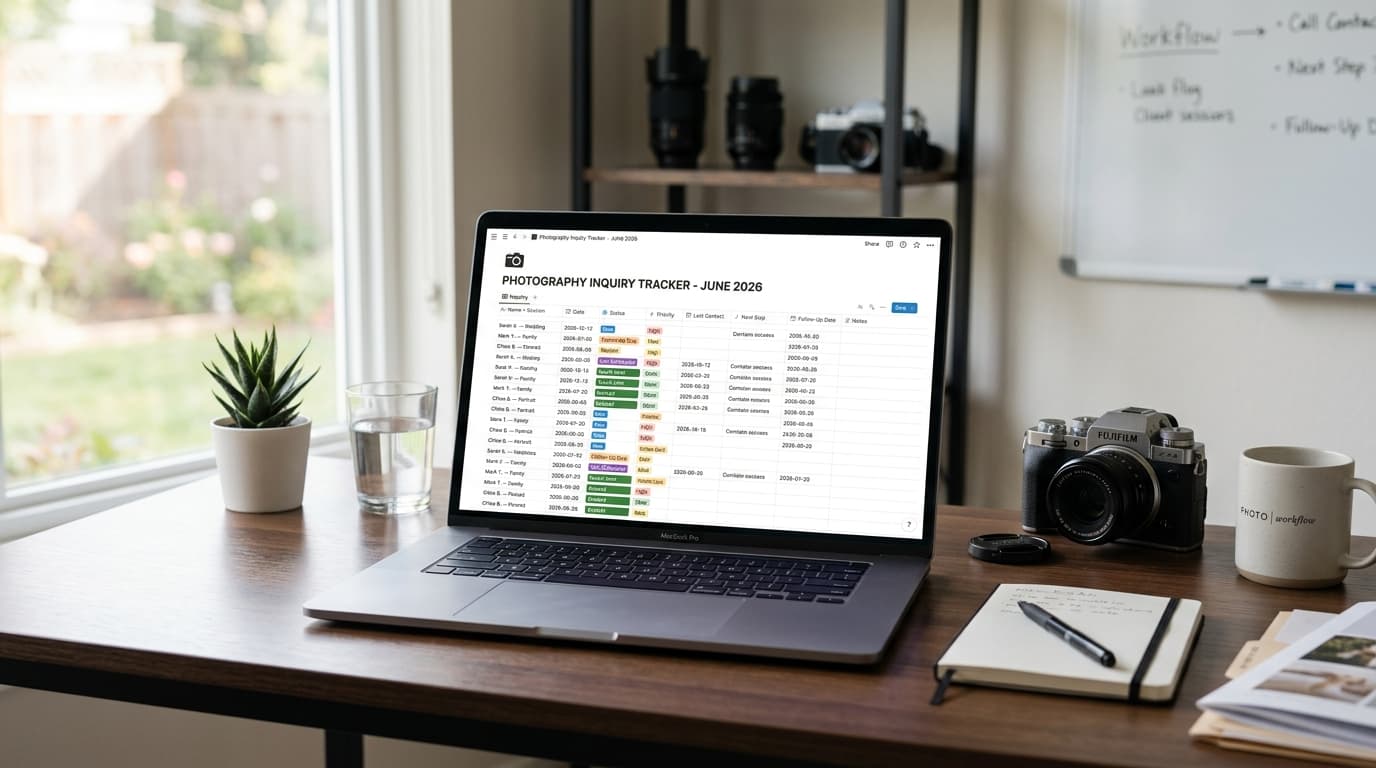
Introduction
When you’re juggling 20+ inquiries, the real problem usually isn’t getting leads. It’s keeping control of them.
A wedding inquiry comes in on Instagram. A family session lead replies by email three days later. Someone on WhatsApp asks for pricing, then disappears, then comes back asking if their date is still open. Suddenly your booking pipeline lives in your head, your inbox, your DMs, and a notes app you forgot to open.
This is where photographers start losing money quietly. Not because demand is low, but because follow-up becomes inconsistent, response times slip, and warm leads go cold.
In this post, I’ll give you a copy-paste inquiry tracking script and template you can use immediately. It’s built for busy photographers who need a simple system to track status, next steps, and follow-ups without building a full operations stack from scratch.
Why Inquiry Tracking Breaks at 20+ Leads
At 5 leads, you can still get away with memory.
At 20+, memory becomes a liability.
The issue is not just volume. It’s context switching. Every lead is at a different stage:
- one asked for pricing
- one is deciding between packages
- one wants a custom quote
- one already said yes but hasn’t paid the retainer
- one ghosted after your first reply
- one only replies on Instagram voice notes
Without a clear tracking system, three things happen fast.
1. You stop knowing who needs a response today
That creates hesitation. You open your inbox, feel behind, and delay replying because sorting the mess feels harder than the actual response.
Why this matters: delayed follow-up costs bookings. A lot of photographers think they need better sales copy when they actually need better lead visibility.
2. You repeat manual work
You keep checking the same conversations to answer the same questions:
- Did I send pricing?
- Did they confirm their date?
- Did I ask their budget?
- Was I waiting on them, or were they waiting on me?
Why this matters: inquiry tracking is not admin for admin’s sake. It’s how you reduce wasted brain cycles so you can respond faster and more confidently.
3. Good leads slip through the cracks
Not because you ignored them on purpose. Because they got buried between low-fit inquiries, social DMs, and half-finished drafts.
Why this matters: if your business depends on bookings, then your lead pipeline is a revenue pipeline. A missed follow-up is not a small ops issue. It’s a sales problem.
The fix is not a giant CRM setup with 30 fields. It’s a simple tracking structure you’ll actually keep updated.
The Minimum Inquiry Tracking System You Actually Need
If you want inquiry tracking to work, keep it lean.
You do not need to track everything. You need to track the few things that tell you:
- who this lead is
- where they came from
- what they want
- what stage they’re in
- what happens next
- when to follow up
That’s it.
Here’s the minimum structure I recommend.
The 7 fields every inquiry should have
1. Name + session type
Example: “Sarah Kim — Wedding”
This helps you identify the lead quickly without reopening the thread.
2. Source
Example: Instagram, WhatsApp, Email, Website
This matters because source affects reply style and lead quality. Instagram inquiries often need more qualification. Website inquiries are usually warmer.
3. Event/session date
Example: 2026-10-12
This helps you prioritize urgent inquiries and avoid wasted back-and-forth if the date is already taken.
4. Status
Use a small set of statuses only:
- New
- Replied
- Waiting on Lead
- Follow-Up Due
- Call Scheduled
- Quote Sent
- Booked
- Closed
Why this matters: too many status options make tracking slower. Fewer statuses make action obvious.
5. Fit/priority
Use simple labels:
- High
- Medium
- Low
This helps when you have 20+ leads and only time to focus on the best ones first.
6. Next step
Example:
- Send pricing guide
- Follow up Friday
- Confirm timeline
- Send contract
- Close out if no reply by Monday
This is the most important field in the whole system.
Why this matters: the best inquiry tracking system tells you what to do next without reopening the conversation.
7. Last contact date
Example: 2026-06-10
If you know the last touchpoint, you know whether silence is normal or dangerous.
Copy-Paste Inquiry Tracking Template for Photographers
You can use this in Notion, Google Sheets, Airtable, Apple Notes, or even a pinned document if that’s what you’ll actually maintain.
Here’s the simple version.
Master inquiry tracker template
INQUIRY TRACKER

Name:
Session Type:
Source:
Inquiry Date:
Event/Session Date:
Location:
Budget Mentioned:
Status:
Priority:
Last Contact Date:
Next Step:
Follow-Up Date:
Notes:
Here’s what that looks like filled in.
INQUIRY TRACKER

Name: Sarah Kim
Session Type: Wedding
Source: Instagram
Inquiry Date: 2026-06-09
Event/Session Date: 2026-10-12
Location: Hudson Valley
Budget Mentioned: Around $6,000
Status: Quote Sent
Priority: High
Last Contact Date: 2026-06-10
Next Step: Follow up if no reply within 2 days
Follow-Up Date: 2026-06-12
Notes: Wants full-day coverage, likes candid/documentary style, planning small outdoor ceremony
If you prefer a spreadsheet view, use this column structure:
Name | Session Type | Source | Inquiry Date | Session Date | Status | Priority | Last Contact | Next Step | Follow-Up Date | Notes
Status definitions you can copy into your workflow
To keep your tracking consistent, define each status once.
New = inquiry received, no reply sent yet
Replied = first response sent
Waiting on Lead = waiting for them to answer a question or choose package
Follow-Up Due = lead has gone quiet and needs a nudge
Call Scheduled = consultation call or meeting booked
Quote Sent = pricing/proposal delivered
Booked = contract signed and retainer paid
Closed = not a fit, date unavailable, or no response after follow-up sequence
Why this matters: photographers often think they have a follow-up problem when they actually have a status problem. If statuses are vague, nothing gets moved. If nothing gets moved, nobody gets followed up.
The fastest daily review format
If you only have 10 minutes between shoots, review your tracker in this order:
1. New
2. Follow-Up Due
3. Quote Sent
4. Waiting on Lead
That order works because it prioritizes:
- fresh inquiries before they cool off
- active deals that need nudging
- leads closest to booking
- lower-urgency waiting threads last
Why this matters: not every lead deserves equal attention at every moment. A good tracker helps you apply attention where it creates bookings.
Copy-Paste Follow-Up Scripts for Common Inquiry Scenarios
Tracking alone doesn’t help if you still freeze when it’s time to reply. So here are short scripts you can actually send.
These are designed to match the statuses above.
1. First reply when a new inquiry comes in
Hi [Name], thanks so much for reaching out about your [session type] on [date].

I’d love to learn a bit more about what you’re planning. If the date is still open on my end, I can send over the best package options for you.

Could you share:
- the location
- the kind of coverage you’re looking for
- and anything important you want me to know about the session or event?

Once I have that, I’ll point you in the right direction.
Why this matters: this qualifies the lead without making them fill out a giant questionnaire. You get what you need to decide fit and next steps.
2. Follow-up when they went quiet after pricing
Hi [Name], just checking in in case this slipped through.

I wanted to see if you had any questions about the options I sent over for your [session type] on [date]. Happy to help you narrow things down if you're deciding between packages.

If you’d like, I can also recommend the option that makes the most sense based on what you shared.
This works because it’s not pushy. It reduces the effort needed to reply.
3. Follow-up when you’re waiting on a decision
Hi [Name], just wanted to follow up on your [session type] plans for [date].

I’m holding space loosely for now, but I wanted to check whether you’re still interested in moving forward. If so, I can send the next steps over today.
Why this matters: this creates gentle urgency without sounding salesy.
4. Message when the lead is not a fit or the date is unavailable
Hi [Name], thanks again for reaching out.

Unfortunately, I’m not available for [date] / I don’t think I’m the best fit for what you’re looking for. I’d rather be honest than waste your time.

If helpful, I can recommend a few photographers who may be a better fit.
This keeps your pipeline clean and protects your brand.
5. Final follow-up before closing the inquiry
Hi [Name], just sending one last note here in case you’re still looking for a photographer for [date].

If you’d like to move forward, let me know and I can send the next steps. If your plans changed, no problem at all.
Then mark them as Closed if there’s no reply after your chosen window.
Why this matters: closing inactive inquiries is part of good tracking. An overloaded pipeline is usually full of dead leads nobody has officially closed.
How to Use This Template Without Adding More Admin
The trap with inquiry tracking is building a system that takes too long to maintain.
If updating the tracker feels like extra work, you won’t do it. So the goal is to make it part of replying, not a separate admin session.
Rule 1: Update the tracker when you send the message
Every time you reply, update only three things:
- Status
- Last Contact Date
- Next Step
That’s enough to keep the whole pipeline usable.
Rule 2: Don’t write long notes
Your notes should be scan-friendly, not detailed diary entries.
Good note:
Wants 8 hours, prefers candid coverage, budget sensitive, partner joining consult
Bad note:
Long backstory about venue, Pinterest board, and everything discussed over six voice notes
Why this matters: long notes slow you down and make future you ignore the system.
Rule 3: Set one default follow-up rhythm
Don’t reinvent timing for every inquiry. Start with:
- first reply: same day if possible
- follow-up after pricing: 2 days
- second follow-up: 4–5 days later
- final follow-up: 7 days later
- then close
This alone removes a lot of decision fatigue.
Rule 4: Separate active leads from noise
If someone sends “pricing?” with no date, no session type, and no context, don’t treat that the same as a complete inquiry for a specific date.
Track both if you want, but prioritize differently.
A practical way to do it:
- High priority: date shared, real need, good fit, active replies
- Medium priority: decent fit, incomplete info, moderate responsiveness
- Low priority: vague inquiry, low intent, poor fit, inconsistent replies
Why this matters: when you’re overloaded, prioritization matters more than perfect organization.
Rule 5: Review the pipeline once in the morning and once before you stop work
That’s enough for most photographers.
You don’t need to check 20 times a day. You need a reliable rhythm that catches urgent leads and overdue follow-ups.
What this looks like in real life
Let’s say you have 23 open inquiries:
- 6 are brand new
- 5 got pricing
- 4 need a follow-up
- 3 scheduled a call
- 2 are ready to book
- 3 are dead but still sitting in your inbox
Without a tracker, everything feels equally urgent.
With a tracker, your day becomes clearer:
- reply to the 6 new inquiries
- follow up with the 4 overdue leads
- move the 2 ready-to-book leads toward contract and retainer
- archive or close the dead ones
That shift matters because it turns inquiry management from reactive chaos into visible pipeline management.
Conclusion
If you’re juggling 20+ leads, the answer is not working longer hours or trying to remember everything. It’s using a simple inquiry tracking template that tells you what stage each lead is in and what needs to happen next.
The best system is the one you’ll actually use. Keep the fields minimal. Keep statuses clear. Keep follow-ups templated. That alone can prevent missed replies, speed up booking decisions, and make your pipeline feel manageable again.
And if you’re tired of manually tracking inquiries across Instagram, WhatsApp, and email, see how Kaza handles this automatically at heykaza.com.
Frequently Asked Questions
- What is the best way for photographers to track inquiries?
- The best way is a simple tracker with name, source, date, status, last contact date, next step, and follow-up date. If the system is too complex, it usually stops getting updated.
- How often should photographers follow up on leads?
- A practical starting point is one follow-up 2 days after sending pricing, another 4–5 days later, and a final check-in about a week after that. Then close the inquiry if there’s no response.
- Should I track Instagram and WhatsApp inquiries the same way as email leads?
- Yes. The channel may change how you reply, but every inquiry should still have the same core fields and status so nothing gets missed.