
Inquiry Response Templates for Family Photographers
Copy-paste inquiry response templates for portrait and family photographers to reply faster, qualify leads, and book more sessions without inbox chaos.
Introduction
If you shoot portraits or family sessions, you already know the pattern. A new inquiry lands in Instagram DMs, another comes through email, someone else messages on WhatsApp asking, “How much do you charge?” and suddenly you’re rewriting the same answer for the fifth time that day.
That repetition does more damage than most photographers realize. It slows down your response time, makes your replies inconsistent, and increases the odds that a solid lead goes cold while you’re in a shoot, driving home, or trying to have a normal evening.
This post gives you copy-paste inquiry handling scripts you can actually use. Not vague advice. Not “be authentic” fluff. Just practical templates for portrait and family photographers who want to respond faster, qualify better leads, and move inquiries toward a booking without sounding robotic.
Use these as-is, then adjust the wording to match your style. The goal is simple: less time in your inbox, more booked sessions, and fewer leads slipping through the cracks.
Why Inquiry Templates Matter for Portrait and Family Photographers
Most inquiry problems are not really pricing problems. They’re response process problems.
A lead reaches out when they’re interested now. If your reply takes too long, feels vague, or doesn’t clearly explain the next step, they keep looking. That’s especially true for family and portrait photography, where clients often contact multiple photographers within the same day.
Why this matters: if your booking pipeline starts with slow, inconsistent replies, you lose work before your photography even enters the conversation.
Templates help in three ways:
1. They cut your response time.
You stop composing every message from scratch. That alone can save hours each week.
2. They keep your lead qualification consistent.
Every inquiry should answer the same core questions: session type, preferred date, location, group size, and what they actually want.
3. They make booking feel easier for the client.
People don’t want a complicated back-and-forth. They want clarity. A strong template gives them that.
This isn’t about sounding canned. It’s about removing friction from the earliest stage of the client experience.
A family photographer with a clear inquiry system often outbooks a more talented photographer with a messy one. Not because the work is better, but because the path to booking is easier.
The Core Inquiry Workflow Every Photographer Should Use
Before the templates, you need a simple structure behind them. Otherwise you’re just pasting messages into chaos.
Here’s the basic inquiry workflow I’d recommend for portrait and family photographers:
1. Acknowledge the inquiry quickly
Your first job is not to answer everything perfectly. It’s to respond fast and create momentum.
That means confirming you got the message, sounding warm, and asking for the few details you need to qualify the lead.
Why this matters: fast acknowledgment prevents drop-off. Even if the person isn’t ready to book immediately, they know you’re responsive.
2. Qualify the lead
Don’t go straight into a long pricing explanation if you don’t even know what they need.
At minimum, you want to know:
- session type
- preferred date or timeframe
- location or area
- number of people
- any specific goals for the shoot
For example, a maternity session, extended family session, and quick fall mini session are all different inquiries. Your response should reflect that.
Why this matters: qualification lets you send the right offer instead of the most generic one.
3. Give a clear next step
A good reply moves the lead forward. It doesn’t just answer questions.
Examples of clear next steps:
- “If that sounds good, I can send over available dates.”
- “Reply with your preferred month and location and I’ll recommend the best package.”
- “If you’d like to book, I’ll send the agreement and retainer details.”
Why this matters: many inquiries die because the photographer answered the question but didn’t lead the client anywhere.
4. Follow up if they go quiet
A lot of photographers assume no reply means no interest. Usually it means life happened.
Portrait and family clients are busy. Kids, work, travel, school schedules. They often intend to reply and simply don’t.
Why this matters: a short follow-up can recover bookings you would have otherwise lost.
Copy-Paste Inquiry Templates for Common Scenarios
Below are practical templates you can copy, paste, and tweak.
1. First response to a new inquiry
Use this when someone first reaches out through email, Instagram, or WhatsApp.
Template:
Hi [Name], thanks so much for reaching out. I’d love to help with your [family/portrait/maternity/newborn] session.
To point you to the best option, could you send over a few quick details?
- what type of session you’re looking for
- your preferred date or timeframe
- where you’d like the session to take place
- how many people will be included
Once I have that, I can send the best package options and next steps.
Best,
[Your Name]
Why this works: it’s warm, fast, and gathers the exact details you need without overwhelming the lead.
2. Response to “How much do you charge?”
This is one of the most common messages, and one of the easiest to mishandle.
Don’t be defensive. Don’t send a giant wall of pricing. Give enough context to keep the conversation moving.
Template:
Hi [Name], thanks for reaching out. My portrait and family sessions start at [starting price], and pricing depends on the type of session, location, and what’s included.
If you send me a few quick details like the kind of session you want, your preferred date, and how many people are involved, I can recommend the best option and send exact pricing.
Why this works: it answers the question without boxing you into the wrong quote too early.
3. Template for family session inquiries
Family sessions often need extra clarity around group size, kids’ ages, and location.
Template:
Hi [Name], thanks for reaching out about a family session. I’d love to help you plan it.
To make sure I recommend the right session, can you send me:
- the general date or month you’re hoping for
- the number of adults and children
- the ages of the kids
- whether you want an outdoor or in-home session
- the area you’d like to shoot in
Once I have that, I’ll send over the best fit plus pricing and availability.
Why this matters: family inquiries can get messy fast. This keeps the scope clear before you quote.
4. Template for portrait session inquiries
Portrait sessions usually move faster, but clients still need direction.
Template:
Hi [Name], thanks so much for reaching out about a portrait session.
I’d love to hear a little more about what you have in mind. Can you send over:
- the type of portraits you want
- your preferred date or timeframe
- your ideal location
- whether this is for personal, branding, graduation, or another purpose
From there, I can send package options and available dates.
Why this matters: portrait clients often aren’t sure what to ask for. This helps them clarify their needs while positioning you as the guide.
5. Template when you’re available and ready to book
Once you’ve qualified the lead, don’t drag things out.
Template:
Hi [Name], this sounds like a great fit. I’m available for [date/timeframe], and the best option for this session would be my [package name] at [price].
That includes [short list of deliverables].
If you’d like to move forward, I can send over the booking link, agreement, and retainer details today.
Why this works: it replaces vague interest with a concrete offer and a clear path to booking.
6. Template when you’re not available
A bad “not available” message closes the door. A good one preserves goodwill and can still create future work.
Template:
Hi [Name], thank you so much for thinking of me. Unfortunately, I’m already booked for [date].
If your schedule is flexible, I’d be happy to send a few alternate dates. If not, I can also recommend a few photographers I trust.
Either way, I appreciate you reaching out.
Best,
[Your Name]
Why this matters: how you handle unavailable dates affects your reputation, referrals, and future inquiries.
7. Follow-up template for unanswered inquiries
Send this 2–4 days after your last message.
Template:
Hi [Name], just following up in case my last message got buried.
I’d still be happy to help with your [family/portrait] session. If you’re still looking, send me your preferred date or any questions you have and I can help with next steps.
Why this works: it’s light, helpful, and doesn’t sound desperate.
8. Final follow-up template
Send this if there’s still no reply after another few days.
Template:
Hi [Name], I wanted to check in one last time regarding your [family/portrait] session inquiry.
If you’re still looking for a photographer, feel free to reply here and I’ll be happy to help. If your plans changed, no worries at all.
Thanks again,
[Your Name]
Why this matters: it closes the loop cleanly and keeps your pipeline organized.
9. Template for redirecting low-fit inquiries
Not every lead is the right lead.
If someone wants a budget that doesn’t match your business, an event type you don’t shoot, or a turnaround you can’t provide, respond clearly and respectfully.
Template:
Hi [Name], thanks for reaching out. Based on what you’re looking for, I may not be the best fit for this session.
I specialize in [your specialty], and my sessions start at [price/starting point]. If that aligns with what you need, I’m happy to continue the conversation. If not, I completely understand.
Why this matters: protecting your time is part of running a healthy booking business.
How to Customize These Templates Without Starting From Scratch
Most photographers make one of two mistakes here.
They either keep templates too generic and sound forgettable, or they over-customize every response and lose the time-saving benefit.
The sweet spot is simple: standard structure, personalized details.
Keep these parts consistent
These should stay almost the same every time:
- your greeting
- your qualification questions
- your package framing
- your call to action
- your follow-up cadence
This is your system.
Personalize these parts
These should change based on the inquiry:
- their name
- the exact session type
- one detail they mentioned
- the next step that matches their situation
For example, instead of:
“Thanks for your inquiry.”
Say:
“Thanks for reaching out about a fall family session.”
That one detail makes the message feel human without requiring a rewrite.
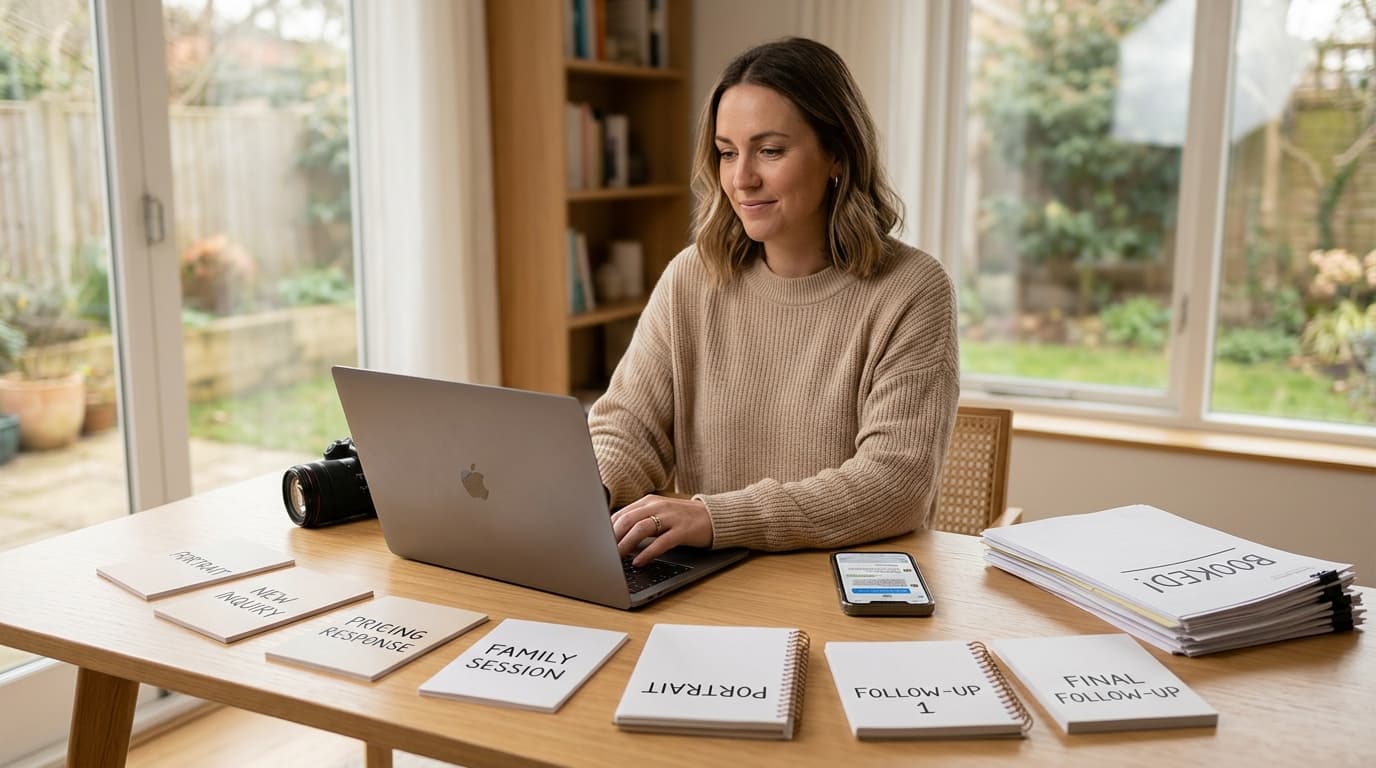
Build a simple snippet library
Create saved replies for:
- new inquiry
- pricing question
- family session
- portrait session
- follow-up
- unavailable date
- ready to book
- not a fit
Store them wherever you already work: email drafts, Notes app, CRM, Instagram saved replies, or a text expander.
Why this matters: the easier your templates are to access, the more consistently you’ll use them.
A practical example:
If you get 20 inquiries a week and each response takes 8 minutes from scratch, that’s over 2.5 hours just on first replies. Cut that to 2 minutes with templates and you get most of that time back immediately.
Mistakes That Make Photography Inquiries Go Cold
Even a good template can fail if the structure is wrong.
Here are the biggest mistakes I see in inquiry handling systems.
Answering with too much information too early
When someone asks for pricing, many photographers send their full investment guide, full process, wardrobe advice, turnaround time, reschedule policy, and gallery details all at once.
That’s too much.
Why this matters: too much information creates decision fatigue. Early-stage leads need the next step, not the entire business manual.
Asking too many questions upfront
Qualification matters, but don’t send a 14-question form in your first reply unless the lead is already serious.
Start with the essentials. You can gather the rest later.
Why this matters: low-friction replies get more responses.
Sounding cold or overly polished
Clients booking portrait and family photography want confidence, but they also want warmth.
If your template sounds like corporate customer support, it creates distance.
A better tone is: clear, helpful, and direct.
Forgetting to lead the conversation
A message that ends with “Let me know” often stalls.
A message that ends with “Reply with your preferred month and I’ll send the best options” moves things forward.
Why this matters: booking momentum depends on specific next steps.
Not following up
This is the easiest revenue leak in photography inquiries.
A lot of “ghosted” leads are simply busy leads.
If you don’t follow up, you’ll never know which is which.
Conclusion
Good inquiry handling is not about writing prettier messages. It’s about building a repeatable system that helps you reply faster, qualify better leads, and move people toward a booking without living in your inbox.
If you shoot portraits or family sessions, the templates above give you a practical starting point. Use them, save them, and refine them based on the types of inquiries you get most often. The point is not to automate your personality out of the process. It’s to stop wasting time rewriting the same messages every week.
If you want to take this a step further, see how Kaza handles this automatically across email, Instagram DMs, and WhatsApp at heykaza.com.
Frequently Asked Questions
- Should photographers send pricing in the first reply?
- Usually yes, but keep it simple. A starting price or tailored quote range works better than sending every package detail before you know what the client actually needs.
- How fast should I respond to photography inquiries?
- As fast as possible, ideally within a few hours. If you cannot answer fully right away, send a quick acknowledgment and gather the key details first.
- How many follow-ups should I send after a photography inquiry?
- Two is usually enough for portrait and family inquiries: one light follow-up after a few days and one final check-in after that.